Geological Spectral Indices (GSI)
A GSI is an arithmetic combination of reflectance from two or more wavelengths, chosen so the result rises with the relative abundance of a particular feature: a lithology, a mineral group, or on hyperspectral data a single mineral. Higher index value means more of that feature.
Strictly, the index responds to spectral contrast between the chosen wavelengths. Abundance drives that contrast, but so do grain size, surface moisture, albedo, shadow and sub-pixel mixing. Read a GSI as a ranking within one scene, not as a measurement.
The scale is not 0 to 1. Each index has its own range, so read the range printed on that layer's slider and work down from its top end rather than assuming a value near 1 is good.
Runs on multispectral and hyperspectral data. On Sentinel-2 an index answers at group level only, and it cannot reach carbonate at all.
Index values do not travel. Most published geological indices are defined for a specific sensor's bands, so the same named index computed on different band centers and widths is a different quantity with a different range. Do not compare index values between providers, or between dates on the same provider.
What indices are good at
Indices are cheap, fast, and available on every provider. That makes them the right tool for a first look across a large area, and for cross-checking a SAM or SFF result on ground where you already have a hypothesis.
They are especially useful where alteration is mixed. In a scene with several overlapping alteration zones, a set of indices gives you a quick picture of which mineral families dominate where, before you commit to mapping a named mineral.
Adding the layer
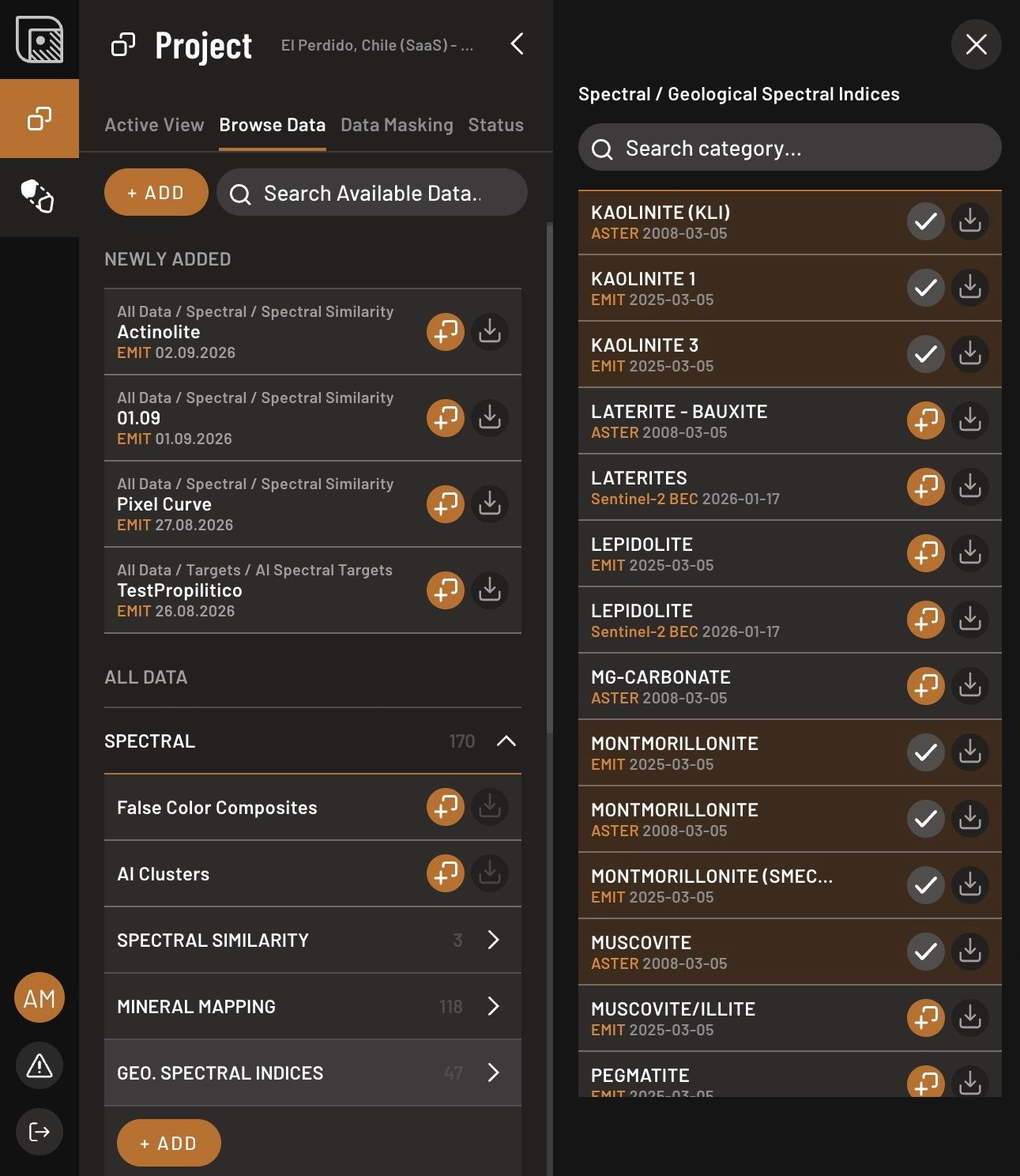
- Open the Browse Data tab, open Spectral → Geo. Spectral Indices, and click Add layer next to the index.
- Read the value range on the slider, then work down from its top end.
- Set the color, or switch to gradient mode, in the layer properties.
Where it misleads
A ratio is a much weaker constraint than a fit. Any material that happens to satisfy the same arithmetic scores high, and the index has no way to distinguish it from your target. This is the method most likely to light up over something irrelevant.
The specific trap is a scene-wide high. If an index reads strongly nearly everywhere even at a tight threshold, it has stopped discriminating: when clay is everywhere, clay is not your discriminator. Park the layer, go back to Phase 3, and pick something that varies across your ground.