Data Masking
Minerals leave faint traces in a spectrum. Vegetation, water and snow leave very strong ones. The algorithms cannot tell the difference, so an unmasked forest will be reported as a mineral by methods that are working exactly as designed.
Masking is therefore not clean-up you do at the end. It is a precondition for every result you intend to trust, and it belongs in Phase 2, before you load a single mineral layer.
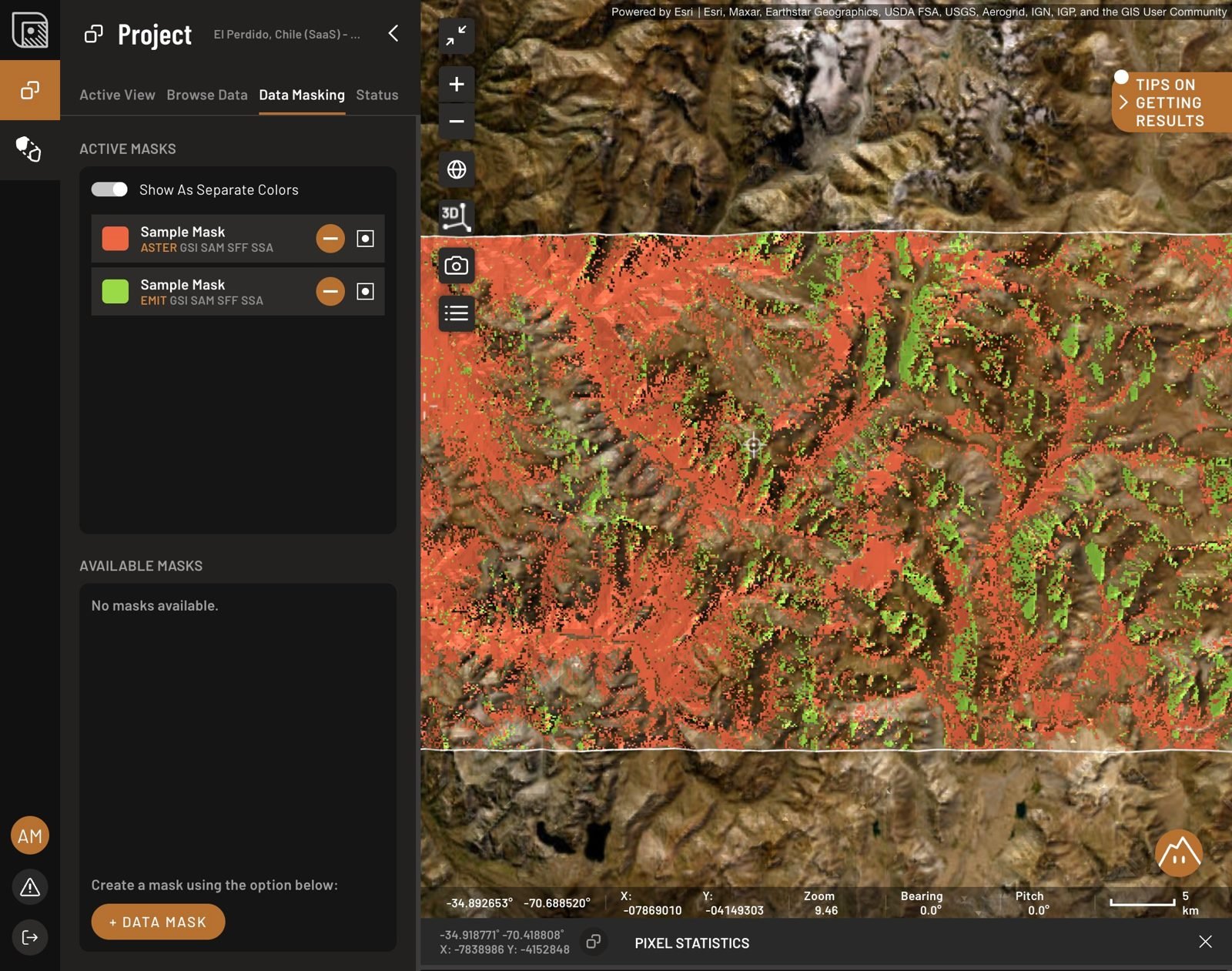
One mask per provider
Sample masks appear when you create an area. They are generic. Delete them and build your own.
Build a separate mask for each provider image. Different sensors have different bands, so an index threshold that works on Sentinel-2 does not transfer to EMIT or ASTER. You can keep several variants of a mask and switch between them, but check which one is active before you start a new step, because results are computed against the active mask.
Masking is one of the few things Ignacy cannot do for you.
The mask indices and where to start
Four indices produce five masks, because snow and clouds sit at opposite ends of the same index.
Each mask is set with two sliders that bound a range on its index. These numbers are an orientation, not a setting. The right thresholds depend on your ground, your sensor and your season, and every one of them is your call — so set them, then verify on the map before you build anything on top.
| Mask | First slider | Second slider |
|---|---|---|
| Vegetation | around 0 | around 0.2 |
| Water | around -1 | around 0.3 |
| Snow | around -1 | around 0.7 |
| Clouds | around -0.1 | around 0.2 |
| Non-bare soil | around -0.3 | around 1 |
Two cautions on the numbers above.
The vegetation low end is not doing vegetation work. Strongly iron-stained ground has a ferric absorption near 900 nm that can push a greenness index to or below zero, so a hard floor at 0 can quietly remove gossan and ferricrete — which may be exactly your target. Keep the low end well down unless you have a reason not to.
Snow and cloud share an index, and that control is blunt. It will not catch thin cirrus, cloud shadow, or cloud sitting over snow, and the right cut-off shifts with terrain and sun angle, so expect to set it differently in high relief than on a plain. Snow and cloud confusion is worst in shadowed high-relief ground, which is where exploration usually happens. Check what survived against the basemap before you trust it, and prefer a clean scene over a scene you have masked.
Non-bare soil works differently from the other three. It scores how bare a pixel is rather than masking a specific material. Set it with the other three masks turned off, then check on the map that what it removes is vegetated ground rather than your outcrops.
Checking your work
Take surviving pixels into the Analogy Lab Inspect tab and look for the red edge, the sharp rise from about 700 nm. Still there? Widen the vegetation mask and check again. Reference vegetation curves are on screen to compare against.
Dry vegetation is the one that gets through. It is not green, so the vegetation index does not see it, and it absorbs right next to the clay feature at 2200 nm, which is the feature you are most likely to be mapping.
What masks will not remove
Man-made bare ground. Tailings, dumps, quarry faces, haul roads and artisanal pits are genuinely bare, so a bareness index keeps them. Crushed dry rock often gives the strongest matches in the entire scene. Check candidates against the base map imagery and outline disturbed ground with a shape layer. The shape removes nothing; it is a note to yourself that saves you from writing up your own mine site.
Terrain shadow. Slopes facing away from the sun return too little signal to be reliable, and there is no mask for them yet. Turn on Hillshade under Browse Data and leave it on, then flag or drop candidates that sit in shadow.
Bare Earth Composite. BEC arrives already masked as part of how the composite is built, and cannot be masked further. See Satellite data.
Write your thresholds down
Phase 9 asks for the mask and thresholds behind every target, and it asks for a reason. Every result downstream of this page depends on the numbers you chose here, and a value that looked obvious while you were dragging a slider will not be recoverable in three months. Record the index, both slider positions, and the surviving fraction, per provider.