AI Spectral Targeting
AI Spectral Targeting is a processing service rather than a layer you toggle. You name a provider, at least two target minerals, and a mask; TerraEye runs its spectral methods for those minerals and then ranks pixels by how far their combined results sit from the scene norm. It works on the app's results, not on the raw spectrum.
Values run backwards from every other spectral layer here. A smaller value is a stronger anomaly. When you tighten this layer you drag the high end down, and the check is that fewer pixels survive rather than more.
What it does and does not tell you
It flags pixels whose spectra stand out. It does not name a mineral, and it does not claim mineralization. Anomalous means different from its surroundings, which is the right question to ask when your deposit model is not in the Preset Layers list or when you would rather not constrain the search to minerals you already suspect.
Use the hits as a shortlist. Run SFF or SAM on the ones you care about, and confirm the curve in the Analogy Lab as you would for any other candidate.
Ordering it
- Click + ADD and choose AI Spectral Targeting.
- Pick a provider, choose at least two minerals, and select your mask.
- Click OK. Processing takes a while.
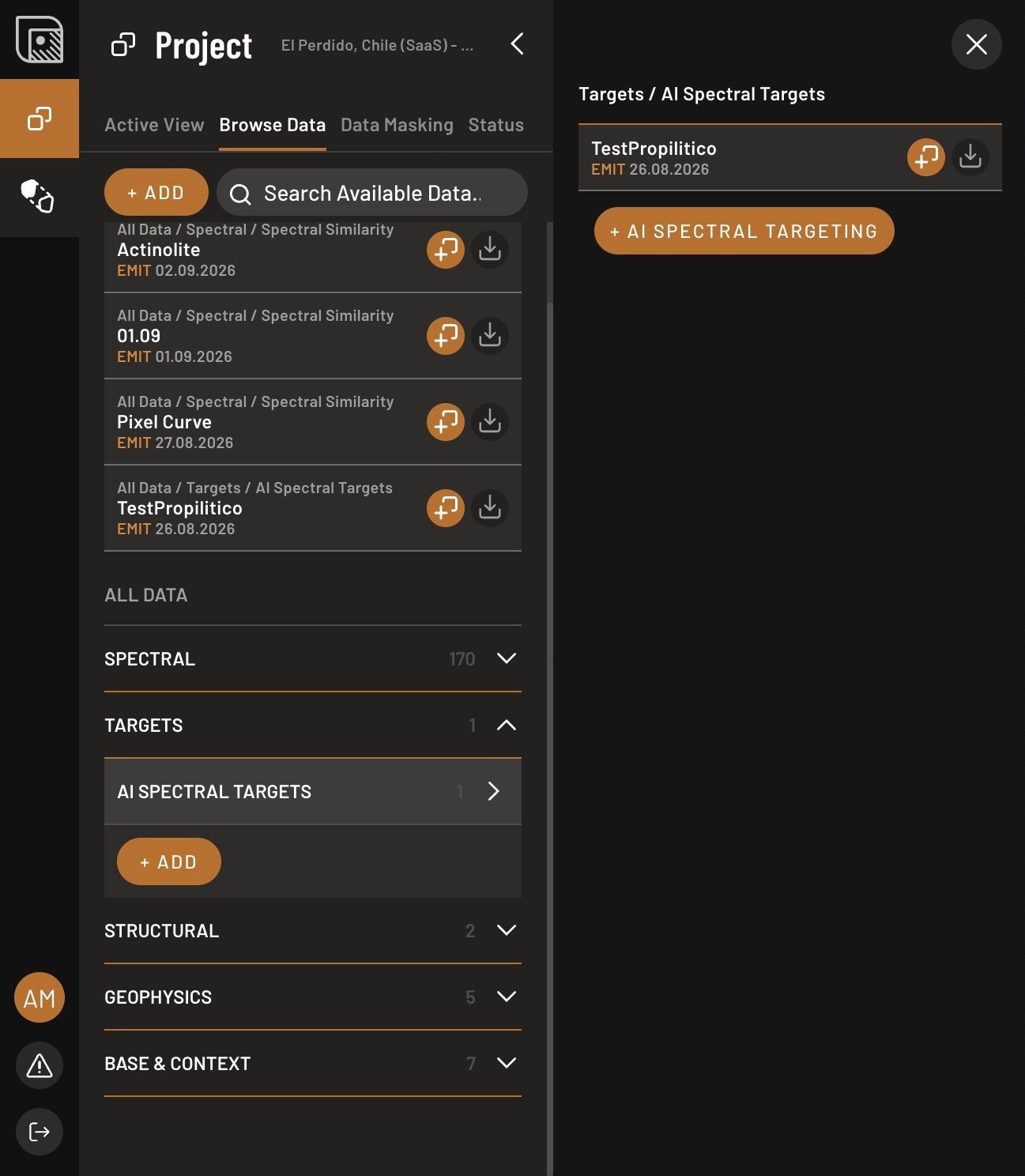
- When it is ready, find it under Browse Data → Targets, expand AI Spectral Targets, and click Add layer.
- Drag the high end of the slider down. Smaller values are stronger anomalies.
- Switch between raster and hex display, change the color, or use gradient mode in the layer properties.
The mask matters more here than almost anywhere else. An unmasked forest edge is spectrally distinctive, so it is exactly the kind of thing an anomaly detector will hand you.
Where it misleads
Man-made bare ground is the reliable false positive. Tailings, dumps, quarry faces, haul roads and artisanal pits are crushed, dry and spectrally unlike their surroundings, which is precisely the signature this method rewards. Outline them with a shape layer first and discard any hit that falls inside one.